
Menu
No data was found
Whether you’re a one-person operation or a growing business with a full team, we’re here to help. Get in touch and let’s talk about what we can do for you.
Whether you’re a one-person operation or a growing business with a full team, we’re here to help. Get in touch and let’s talk about what we can do for you.
Microsoft Purview is the compliance and data protection toolkit built into Microsoft 365. It controls who can access your sensitive data, how it is labelled, and where it is allowed to go. Without it, Copilot cannot tell a public policy document from a confidential payroll file.
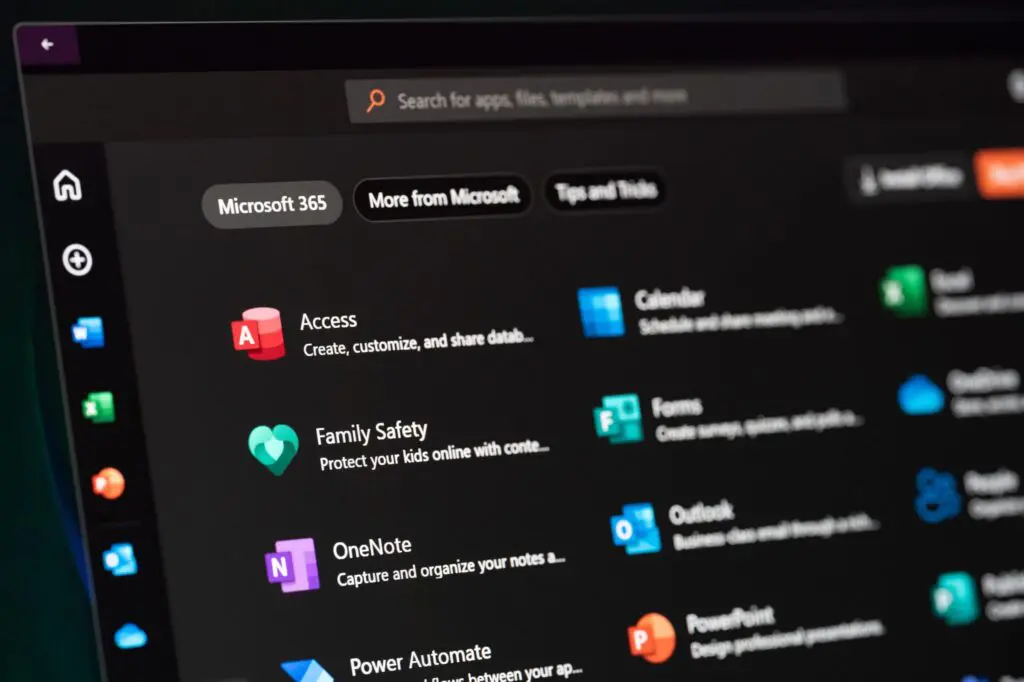






Microsoft Purview is a cloud-based platform that unifies tools for data security, governance, and compliance across Microsoft 365, covering emails, documents, SharePoint, OneDrive, Teams, Power BI, and AI like Microsoft 365 Copilot. It helps protect data, manage its lifecycle with policies, and control access.
Think of Purview as digital filing cabinets with labels, locks, rules, and access logs for every document, email, and chat. It provides visibility across hybrid and multi-cloud setups and detects risks like data theft or accidental sharing.
Purview uses metadata tags, content scanning (e.g., for bank details), automated classification, encryption, permissions, and policy enforcement. All settings, including label settings, are managed through the Microsoft Purview portal, where IT teams configure protection, label policies, and compliance tools.
Microsoft Purview is not the old Azure Purview data catalogue. Azure Purview was a tool for large enterprises to discover data across on premises and cloud environments. Since 2022, Microsoft merged it into the broader Purview brand, which mainly focuses on Microsoft 365 compliance for SMEs.
Purview’s governance capabilities break down into six core functions. Here’s what each one does in plain English and when it matters for an SME.
Purview automates scanning and classifying data from various sources. It automatically identifies types of sensitive information credit card numbers, bank sort codes, health records, personal identifiers across your emails, documents, OneDrive, and SharePoint. It creates a map of your organisation’s data landscape, showing you where sensitive content sits and whether it’s protected. Tools called Content Explorer and Activity Explorer give you a clear view of your data assets: what’s labelled, what’s unprotected, and where the data risks are. For example, it might flag an unprotected payroll spreadsheet sitting in a shared folder that half the company can access.
Sensitivity labels categorise data by confidentiality like “Public”, “General”, “Confidential”, and “Highly Confidential”. These digital labels travel with documents across Word, Excel, Outlook, SharePoint, Teams, Power BI, and desktop apps. Labels apply to emails, files, calendar events, and other data. Users select or change labels easily via the sensitivity button in office apps, with label colours showing protection levels.
Applied sensitivity labels enforce encryption, block editing, add content markings (headers, watermarks), and restrict access to authorised users only. They also protect Teams meetings with sensitive content. Labels can be applied manually, automatically based on content, or set as default to balance security and productivity. Since the 2022 Purview rebrand, Azure Information Protection is part of this unified experience. Sensitivity labels prevent unauthorised access even after files leave your organisation.
DLP policies stop sensitive data from being shared in ways it shouldn’t be. For example, if someone tries to email a customer database containing personal data to a free email address, DLP blocks it or flags it for review. The same applies to copying files to a USB drive, sharing via Teams without proper permissions, or uploading to unapproved cloud storage. Base DLP covers Exchange, SharePoint, and OneDrive. Advanced DLP extends to Teams chats, endpoints, and unmanaged devices – but that requires additional licensing.
Insider risk management features use behavioural analytics for data protection. The system monitors for unusual activity inside your organisation mass downloads, abnormal sharing patterns, copying intellectual property, or suspicious file movements. It generates alerts and provides investigation tools so you can respond before serious damage is done. This isn’t about spying on staff; it’s about catching genuine data leaks before they become breaches.
Purview includes tools for data lifecycle management and auditing. Records management sets policies for how long documents must be kept (for legal or regulatory requirements), when they should be archived, and when it’s safe to delete them. You can automatically apply retention labels for instance, keeping financial records for seven years, or deleting old HR correspondence after three. This is essential for regulatory compliance, particularly for businesses in regulated sectors like legal, finance, or healthcare. Purview enables organisations to manage data lifecycle with policies that ensure legal defensibility.
If you ever need to find out which documents were accessed, by whom, and when or respond to a legal demand like “show us every email mentioning Project X between January and March” eDiscovery and audit tools handle that. They provide compliance searches, legal holds, and data export across Teams, SharePoint, OneDrive, and Exchange. Purview’s eDiscovery can take hours or days to return results depending on scope. It’s worth noting that Purview requires E5 licences for full eDiscovery searches, and Purview only searches across Microsoft products, missing other data sources like third-party apps. Purview lacks some advanced search capabilities for eDiscovery compared to specialist tools, but for most SME needs, it covers the essentials.
Labels might sound abstract until you see them in use. Here is what happens when your HR manager saves a payroll spreadsheet containing bank sort codes, salaries and National Insurance numbers.
Your HR manager opens “Feb-2026-Payroll.xlsx” containing bank sort codes, salaries, and National Insurance numbers.
When saved in SharePoint, a “Highly Confidential” sensitivity label is applied, either manually via the sensitivity button or automatically via auto-labelling rules detecting financial and personal data.
This applied sensitivity label encrypts the file so only authorised HR users can open it, adds a header and watermark saying “Highly Confidential Do Not Share Externally”, and restricts actions like copying, printing, or forwarding.
If someone outside HR tries to access the file, encryption blocks them. If an HR colleague attempts to forward it externally, DLP policies block or flag the action. Restrictions stay with the file even if downloaded, as label metadata is embedded and applies across files, emails, meetings, and other data.
Microsoft 365 Copilot accesses any content a user can see in Microsoft 365 to generate responses, but it relies on existing sensitivity labels and permissions to protect sensitive data.
Without proper labelling, Copilot cannot tell the difference between public documents and confidential files. For example, if payroll files aren’t labelled and encrypted, Copilot might reveal sensitive salary information when asked.
Sensitivity labels with encryption restrict Copilot from extracting or quoting protected content. Without these labels, sensitive data can be exposed through Copilot, even if users technically have access.
From a compliance perspective, using Copilot without Purview’s data governance risks GDPR breaches and legal issues. Purview simplifies regulatory compliance with tools for classification, monitoring, and policy enforcement.
That’s why Microsoft Purview is essential before deploying Copilot. Without it, Copilot is like an assistant rummaging through unlocked filing cabinets, lacking the classification layer needed to protect your sensitive data.
Microsoft 365 Business Premium does include some Purview basics. You get:
What you get:
What’s missing:
If your business has fewer than 50 staff, handles moderate amounts of sensitive data and mainly needs sensitivity labelling with basic DLP, Business Premium may be enough on its own.
If you are deploying Copilot widely, operate in a regulated sector, or need insider risk management, endpoint DLP or long-term audit retention, you will need more. The Purview Suite add-on (previously called E5 Compliance) brings those advanced features in, and Microsoft 365 E5 includes the full Purview capability set, which can work out better value if you need several of them.
One thing to watch: Microsoft has changed which base licences are eligible for the advanced Purview add-ons, and Business Premium alone no longer qualifies for all of them. Some businesses need to move to a higher base licence before they can add the Purview Suite.
Yes… if you’re deploying Microsoft 365 Copilot, or if your business handles client data, employee personal information, financial records, or health data. The honest answer is that Purview isn’t optional for mitigating risks in these scenarios.
Small firms are targeted precisely because their security and compliance measures tend to be weaker. A leaked customer database, an exposed payroll file or an accidentally shared legal document can all result in regulatory fines, legal action and reputational damage.
You’re not too small to have a data breach. If you store customer details, employee records, or financial data, you have regulatory requirements and Purview is how Microsoft 365 helps you meet them.
Permissions control who can open a folder. They don’t control what happens after someone opens a document whether they can copy it, forward it, print it, or whether Copilot can summarise it. Only the labels and their associated protection settings do that.
This is the wrong order. Copilot should never go live before your sensitive content is classified and protected.
At a minimum, before turning on Copilot, you should have manual sensitivity labelling active, basic DLP policies configured and retention policies set. That prevents external users reaching sensitive content and gives Copilot basic guardrails.
If you handle sensitive data across Teams, endpoints and external sharing, or you operate in a regulated sector, you need the advanced controls listed above as missing from Business Premium.
We deploy and configure Microsoft Purview as part of our AI Security Pack handling the entire process on your behalf so you don’t need to become a compliance expert overnight.
We work with you to decide what labels your business needs (Public, Internal, Confidential, Highly Confidential), what protection settings each label carries, and which label publishing policies apply to which teams.
We create sensitivity labels in the Purview portal, configure auto labelling rules, set default label behaviour for SharePoint sites and Teams channels, and establish label priority so the system handles conflicts correctly.
We define policies that match how your people actually work: covering email, OneDrive, SharePoint, and where licensed, Teams chats and endpoints, and test them with real content scenarios to ensure they behave as expected.
Before Copilot goes live, we verify that all sensitive content is labelled, permissions are correct, DLP policies cover the right channels, and Copilot properly honours label restrictions (including testing that EXTRACT permissions are denied where needed).
We review policies, labels, and usage regularly through Purview dashboards and Activity Explorer, catching issues like unprotected files accumulating or labels that staff aren't using.
We also handle the licensing complexity advising which users need which level of protection, preventing you from over-licensing staff who don’t need advanced features, and ensuring your base licence meets current eligibility requirements for any add-ons.
If you’re considering Microsoft 365 Copilot, or you’ve already started rolling it out, book a security review with us. We’ll assess your Purview configuration and find the gaps in your sensitivity labelling, DLP policies and permissions across SharePoint and OneDrive, then give you an honest picture of what needs to happen before Copilot is safe to use. You’ll get practical recommendations, not a sales pitch for technology you don’t need.

Microsoft Purview in Microsoft 365 helps you label, protect, and manage data by classifying documents and controlling access across apps like Outlook, Word, SharePoint, and Teams.
Yes, if you handle sensitive data or use Copilot. It ensures proper data classification and protection to meet regulations and prevent leaks.
Partially. Basic labelling and DLP are included; advanced features need Purview Suite add-on or E3/E5 licences. Microsoft has changed the licensing prerequisites, so check your base licence is eligible.
Labels classify and protect data; DLP policies enforce rules to block or monitor sharing based on those labels.
Copilot accesses all visible content. Without labels and restrictions, confidential data can be exposed. Purview’s labels guide Copilot on what to exclude, ensuring safe use.
This website uses cookies to improve your experience. Choose what you're happy with.
Required for the site to function and can't be switched off.
Help us improve the website. Turn on if you agree.
Used for ads and personalisation. Turn on if you agree.